Mobile Banking App
Banking Made Simple—Right from Your Phone
It’s secure, convenient, and built to make managing your money effortless, wherever life takes you. The Home Federal Bank Mobile App gives you 24/7 access to your accounts with the confidence of industry-leading security.
Download the App
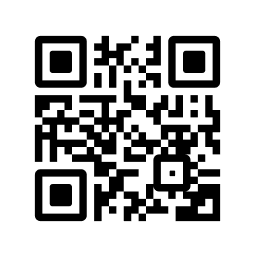
Tap into powerful banking tools right from your smartphone. Use the QR code or click the link below to download the app on your favorite platform.


Helpful Tools to Make Life a Little Easier
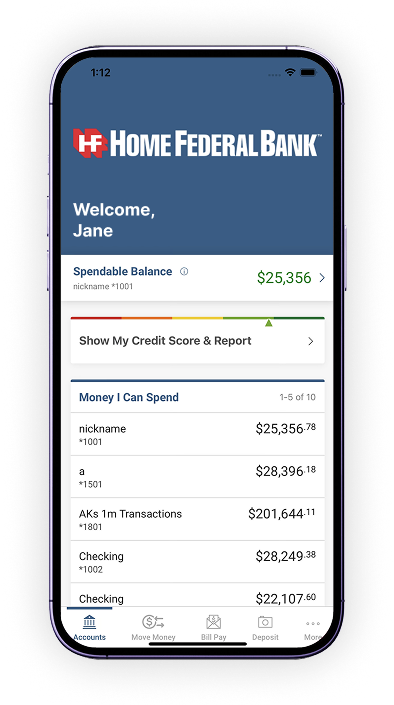
You can check account balances, view transaction history, transfer money between accounts, deposit checks, pay bills, use Zelle®, and locate branches – all securely from your phone.
Zelle®
A fast, safe, and free* way to conveniently send money to friends, family, and other people you trust within minutes wherever they bank.1
Learn MoreMobile Check Deposit
It Doesn’t Get Any EasierDepositing a check has never been faster or simpler. With Home Federal’s fee-free service. All it takes is a smartphone and photos of the front and back of the check.
Mobile Check Deposit 101My Credit Score
Free* Credit ReportYou have instant access to your credit score, credit report, personalized money-saving offers, and tips on how to improve your score or maintain an already great score.
Learn MoreMy Spending
You can take charge of your spending, set limits, plan a budget, achieve your savings goals and get customized feedback with quick answers to important questions about your finances, like the following:
- How much can I spend today without impacting my scheduled bill payments?
- How much have I spent on groceries, restaurants and entertainment this week?
- How close am I to hitting my monthly spend limit on clothing?
- Where did this recent charge occur?
Not Already Enrolled in Online Banking?
Get StartedFrequently Asked Questions (FAQs)
Download our mobile app from the App Store or Google Play, then use your existing online banking Access ID and password to log in. If you’re new to online banking, tap “Enroll Now” in the app and follow the on-screen instructions to set up your account.
You can check account balances, view transaction history, transfer money between accounts, deposit checks, pay bills, use Zelle®, and locate branches – all securely from your phone.
Yes, our app utilizes advanced encryption, two-factor authentication, and automatic logout to safeguard your information. We never store your account numbers or passwords on your device.
Rest assured, our app never stores your account numbers or passwords on your device. If your phone is lost or stolen, contact us immediately at 1-865-541-6388 so we can help protect your account and disable mobile access if needed. You should also:
- Change your online banking password from another device or your computer.
- Contact your mobile carrier to suspend service or remotely wipe your device if possible.
- If you use biometric login (Face ID or fingerprint), removing the app’s access after changing your password will ensure no one can sign in.
Ways to Protect your Mobile Device
Your phone makes it simple to check email, manage your bank accounts, and stay connected on social media. But that same convenience can work for cybercriminals, too. Use these tips to help keep your data and money safe.
Safety TipsWhat Our Customers Say
I balance my accounts every day. With this app I don’t have to drag out the computer, it is so easy.
- - BMWAll the features of national banks, but local owned.
- Neal R.Super easy to use and helps with a lot of aspects in finance!
- T.S.There is so much more you’ve added to the app and it’s soooo user friendly. I just love it you guys :) A+++++
- Gina A.Apple, the Apple logo, iPhone and iPad are trademarks of Apple Inc., registered in the U.S. and other countries. App Store is a service mark of Apple Inc. Android and Google Play are trademarks of Google Inc.
1 U.S. checking or savings account required to use Zelle®. Transactions between enrolled consumers typically occur in minutes and generally do not incur transaction fees.
Zelle® and the Zelle® related marks are wholly owned by Early Warning Services, LLC and are used herein under license.
*Cellular phone carrier messaging and data rates may apply.